
Turn a year of photos into the video everyone remembers.

StoryPix is a free Windows app for end-of-year showcases, graduations and farewells. Point it at your folders, add a song, and it builds the whole show. Then make it yours, slide by slide.

Free and open source. Windows 10 and 11. Works offline, and your photos never leave your computer.

A one-minute show from three trips: built with Auto Build, then finished by hand.

From folder to finished video

  1. 1

    Choose a folder

    Sub-folders like Year 7, Year 8 or Sports Day become sections. Put them in any order and name their title slides.

  2. 2

    Add your music

    Pick one song or several. StoryPix fits the show to the music, or to a length you choose.

  3. 3

    Build the show

    It sorts photos by date, skips burst duplicates, makes collages and adds transitions, and tells you if the pace is too fast.

  4. 4

    Make it yours

    Swap photos, change layouts, add captions, trim videos, zoom in on a face. Everything stays editable.

  5. 5

    Export

    Save a standard MP4 in HD or 4K that plays on any projector, TV, laptop or YouTube.

Built for the night of the showcase

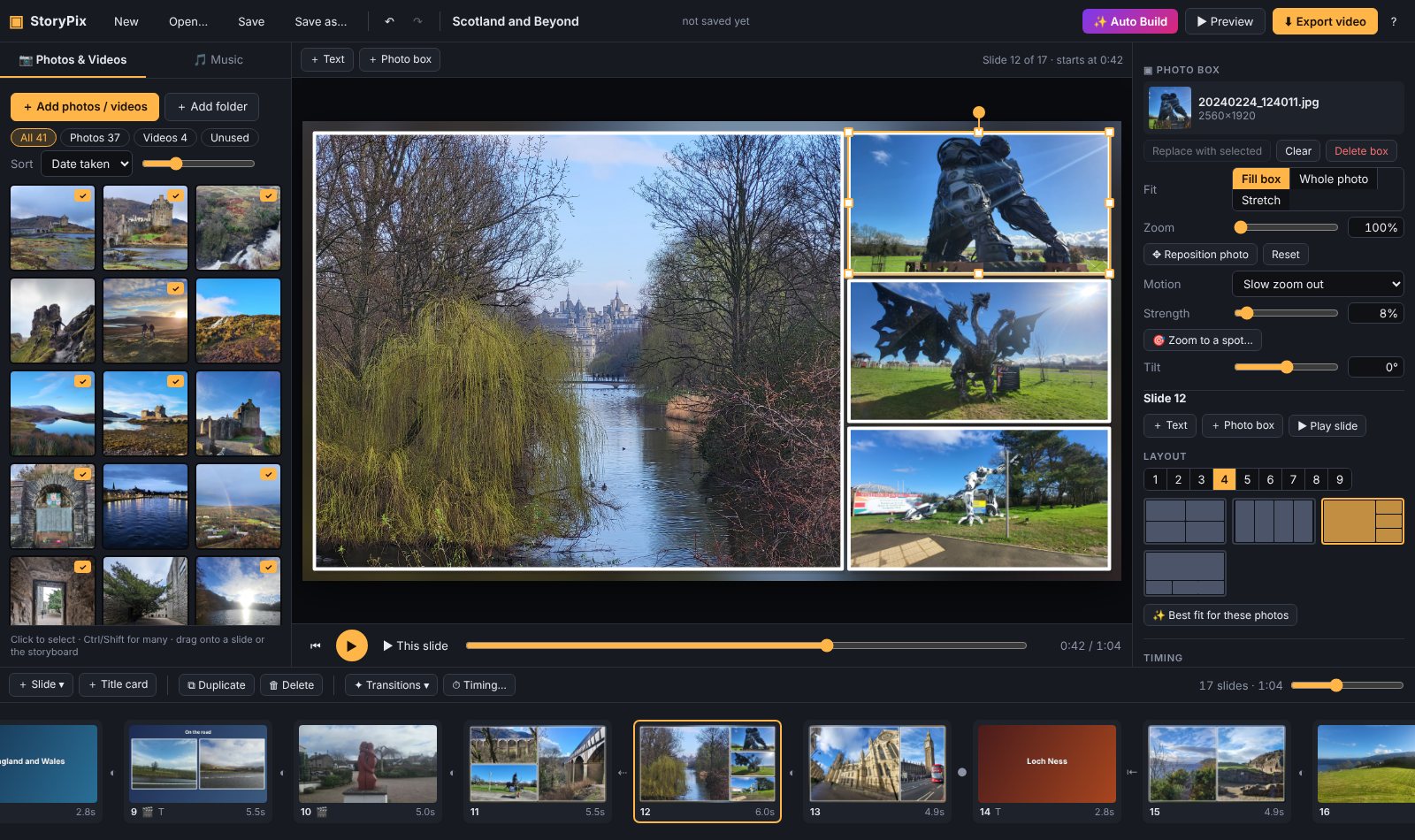
The StoryPix editor showing a four-photo collage with white frames, the photo library on the left, settings on the right and the storyboard along the bottom
The editor

Up to nine photos on a slide

When there are hundreds of photos to get through, collages keep the pace up without rushing. Choose from 25 layouts, or drag, resize and tilt photos wherever you like. White frames, rounded corners and polaroid styles are one click away.

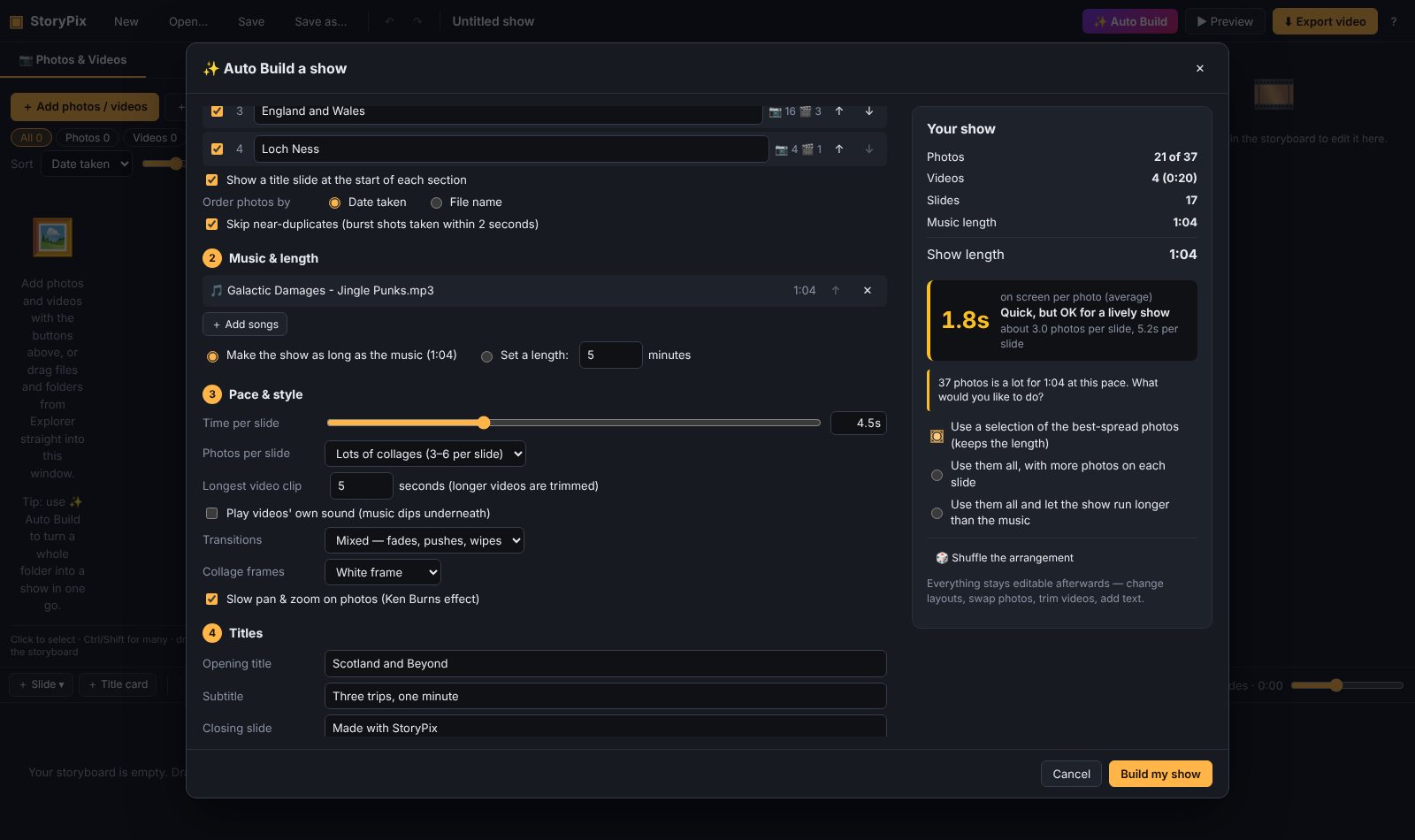
The Auto Build window listing four trip folders as sections, the chosen song, and a summary showing how long each photo stays on screen
Auto Build

Auto Build does the first draft

Tell it how long the show should be and it works out the rest. If 600 photos won't fit in five minutes, it says so plainly and offers choices: use a spread-out selection, more photos per slide, or a longer show.

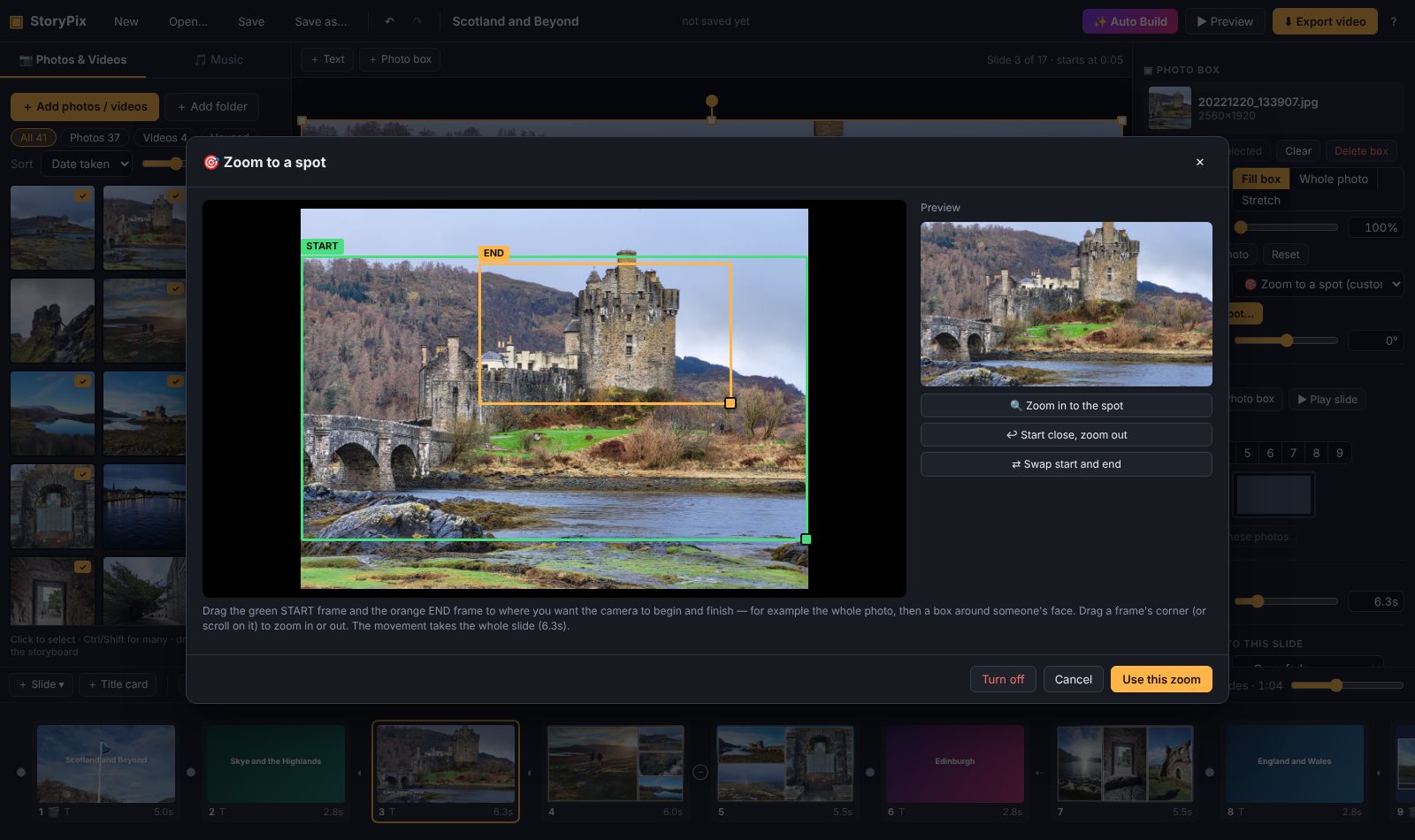
The Zoom to a spot window with a green start frame around the whole photo of a castle and an orange end frame around the castle keep
Zoom to a spot

Zoom in on the moment that matters

Draw a start frame and an end frame, and the camera glides from the whole photo to a face or a trophy. Gentle pan and zoom is added automatically everywhere else.

Made by a teacher, for teachers

StoryPix started because the slideshow software we'd paid for kept crashing the week of the showcase, and every update came with a request to upgrade. This one is free, has no account, no watermark and no upsell, and its source code is open for anyone to check.

Download StoryPix

Download the installer

For Windows 10 and 11, about 60 MB. Prefer not to install? Get the portable version and run it from any folder or USB stick.

All versions and checksums are on the releases page.

New to StoryPix? The step-by-step guide and two-minute walkthrough show you everything.

Questions

Is it really free?

Yes. No trial, no watermark, no account and no in-app purchases. It's open source under the MIT licence.

Does it upload our photos anywhere?

No. StoryPix works completely offline and never sends photos or anything else over the internet. Small preview copies are kept on your computer and deleted automatically after 30 days unused, or straight away from Help → Clear preview copies.

What files can I use?

Photos in JPG, PNG, HEIC, WebP and TIFF. Videos in MP4, MOV, AVI, MKV and most phone formats. Music in MP3, M4A, WAV, FLAC and more.

How long does it take to make the video?

Building the show takes seconds. Exporting a five-minute show in HD usually takes a few minutes on a typical school laptop.

Can I use it on a Mac or Chromebook?

Not yet. StoryPix is Windows only for now.

Something went wrong or I have an idea

Please open an issue on GitHub. Feedback from people who use it is the most useful thing there is.